Wednesday, August 30, 2017
Photobucket finally just bit me :)
Came in here to add a pink flamingo marionette ad (from Amazon) to my sidebar over yonder ~~~~>
That's when I just tripped over this:
*heh!*
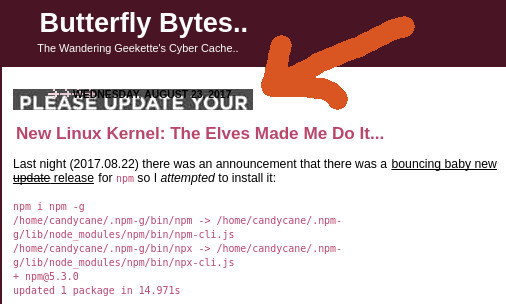
A while back, I read something about how half a bazillion images across the entire Internet were suddenly going to go blank. That's not quite true. Instead they look more like that "PLEASE UPDATE YOUR" image just above. If the original image had been larger, you could have read the whole message.
They advise that you need to sign in quick and take care of business. In other words, after all these years, everyone who ever hosted a Photobucket image on a third party site either pays up or takes some other proactive measure to send that "PLEASE UPDATE YOUR" image packing.
They allege you can still access your images even if you don't pay up. I guess I'm about to find out firsthand.
Was just looking at mine the other day. It was a Pegasus horse that I threw in as an afterthought icon a number of years ago. I was thinking Pegasus was part of a collection I have and thus more easily retrievable, but, nope, I'm now remembering that "collection" was 100% butterflies. *go figure!*
Guess I'll adapt one of those and take it from there. Now to find a place where I can host it without the fear of losing it again probably much sooner than later this time. It's not hard to imagine other image hosting websites following in step with Photobucket... which... you know... it's just about business... is all it is right there. :)
No hard feelings, Photobucket. You make a *_CHOICE_*, I make a *_CHOICE_*, you make a *_CHOICE_*, I make a yada-yada.... :)
Now where was I...............? Oh, right... Amazon ad... adorably adorable *PINK!* Flamingo Marionette! Sidebar..... right over there ~~~~>
Wednesday, August 23, 2017
New Linux Kernel: The Elves Made Me Do It...
npm so I attempted to install it:npm i npm -g
/home/candycane/.npm-g/bin/npm -> /home/candycane/.npm-g/lib/node_modules/npm/bin/npm-cli.js
/home/candycane/.npm-g/bin/npx -> /home/candycane/.npm-g/lib/node_modules/npm/bin/npx-cli.js
+ npm@5.3.0
updated 1 package in 14.971sThat... only took 15 seconds versus the now anticipated (and fairly normal) half hour. It's supposed to be... v.5.4.0, but that says 5.3.0 as does
npm -v. *?*So I just set it to the side and moved on to attempting to get
hsfconfig to actually config my HSF modem. Yeah, I know ~~~~> *ewwwww*A long time ago, I had that all working. Unfortunately there have been a number of hard drive crashes during times when I couldn't afford backup supplies. That meant I lost all my notes including some seriously tear stained ones about the whole HSF modem process. *sighhhh*
Things I can still remember to do include popping over to Linmodems, catching up on their methodology, and then attempting to apply it to my user specific setup. This also coincidentally came up on Debian-User. I need to finally read all the way through and see what they ended with as a final outcome there at Debian.
It feels like that was the thread where it was suggested to the OP (original poster) that their time would be better spent just buying a hardware based modem instead of fighting this many years' long issue. I am more like the OP in this case. I have learned a ton of shtuff while fighting... this very specific and very many years' long proprietary software issue.
Somewhere in the middle of all this, I got the bright idea to additionally... take this opportunity to self-teach on how to
Yeah, I don't know, either. I guess the mischievous little elves twiddling their thumbs somewhere in the back of my mind decided I just hadn't flocked things up enough yet.
So where that's at this second is that last night I started following the destructions on the KernelBuild Guide to building the Linux kernel page k/t kernelnewbies. Even posted my first post on their listserv last night, mostly a quick recap of my own current path and a few related links if I'm remembering correctly.
Their KernelBuild notes seem to do the trick. I had spent over an hour the night before trying to find something, anything that was cognitively friendly. That search eventually and finally pointed back to kernelnewbies whom I had just found days before that. *here's your sign*
It takes many hours to attempt this, but most of that time is you giving your computer its head... while you go out to see a movie. #Life Lesson learned on the fly is that you probably better make that movie a double feature.
The preliminary steps include installing some additional software that occasionally involves a "dev", as in developer development type, identifier. For most people, that install step is pretty painless these days.
Years ago *for me*, that step was a show stopper because those packages had to be built from scratch. Invariably those show stoppers would fail more often than not and for nearly every reason known under the Sun. Except that, uh-uh, nuh-uhhh, they did not have to be built from scratch, even back then.
What I didn't understand back then was how many Linux distributions work. The installation process is semi-automatic these days. The user's only chore in most cases is to decide what they'd like to see installed on their computers. After that, their favorite package manager takes over and completes the process.
For me, that "package manager" is
apt-get. A browser's CTRL+F or similar "find" feature used on the words "package manager" will land a few viable alternatives on Debian's admin packages subsection.That admin packages subsection is specifically for Debian Buster Testing which is the release that I'm using right now. To switch to another release's similar page, it's as simple as replacing the word "buster" in the link, the URL, with others like stretch, jessie, wheezy, and sid. That's a very nice feature that saves wear and tear on their servers, for one thing, because web surfers don't have to mess around with in between links to get what we need.
Ok. Newly churned up Linux kernel. It's apparently done. It rumbled on for a long time throughout the night. That part comes from the mix of deciding on your .config file choice and then performing the
make command. I went the cp /boot/config-`uname -r`* .config to snag my existing, working config file and then simply ran make.That secondarily suggested
make -jX deal felt like it did something funky. I canned it, ran make clean, and tried it again just as make. I'll read up on it one of these days if going that route suddenly becomes a tweak that I need to do to help chug things along a little faster than last night. #toDo. :)The only thing I had to do when I got up this morning was:
sudo make modules_install installThe KernelNewbies author rambles a second there about install options, but that specific line worked perfectly fine on my end. I started out by verifying the potential existence of the author's "installkernel" reference.
locate installkernel said, "Yup, it's there." Implementing the related sudo make modules_install install command took way less time than the initial compile, but it still took a while.AND... it went ahead and ran
update-grub while it was at it. That's a nice perk, Debian. #ThankYou :)Now I need to
reboot. What they're saying there at the end about reboot'ing is that you need to know how to seriously manipulate whatever controls your boot process.After the "installkernel" process, I checked my /boot/grub/grub.cfg. There were references to both kernels now residing on that partition which reminds me there's still one more step left. All my manually created possibilities in /etc/grub.d/40_custom were in the house, too.
That means it's almost time to attempt a
reboot. That thing that I was just reminded of, though, was that I need to go in as root... and point /vmlinuz and /initrd.img at the new configuration files. That's done with symlinking. As example, *I* manually perform that action via ln -s boot/initrd.img-4.12.8 initrd.img while sitting in the root directory followed immediately with similar for vmlinuz.Next step is to verify that the size of the symlinks matches the file they each respectively point to in the /boot directory. If their sizes don't match, that's my sign that something went wrong with the symlinking.
Today's new symlinks do match up right, but, wow, what a difference in size. The old /initrd.img was 18.7MB, and the new one... is a whopping 249.9MB! OUCH!
#1 I wonder how that will affect boot up time. #2 is that I understand that it's because(y) I did the whole raw kernel deal. The smaller, previous one was basically pre-existing somehow with respect to being only AMD64 indicated. *that makes sense* :)
I really need to stop,
reboot, and test it. That's scary... is what that is...... but here I go-o-o-o-o!!!!!!****WOOHOO, IT WORKS****!!!!
There didn't seem to be a significant time lag in the bootup time, either. I did catch one heart stopping flash on the screen where it said......
RIPNO JOKE. I actually gasped as that flipped by. I don't know what it had to do with, and I'm in too much forward motion right now to attempt to track it down via a
grep in hopes of tripping over a log containing that very small word.NOW... I am... what am I doing? Oh, installing the latest
opera-beta browser. Again, yeah, I know. It seems like almost every browser has its detractors these days. That one is working more often than the rest do on dialup for *ME* so there you go.In the process of installing that, I just realized what a message had been telling me before. The way I've been installing
opera is to go to their website, manually download the latest update (via wget -c [Internet-path-to-file]) if one exists for Linux, and then dpkg -i [entire-package-name] from within the archive's new home directory.While running
dpkg -i, the first window says:│ Opera can configure your system to include new versions of the Opera
│ package together with the regular system upgrades. Enabling this option
│ is highly recommended to make sure you receive critical security updates
│ in a timely manner.
│
│ If you agree, Opera will install a file into /etc/apt/sources.list.d, so
│ that the Opera package is upgraded to any available newer release as
│ part of your regular system upgrade.
│
│ Do you want to update Opera together with the rest of the system?To which I each time emphatically have replied, "OMG, YOU WANT TO DO WHAT WHERE?!?!?!"
*heh*
As of my experience with installing
npm and nodejs recently... *I'm over it*What that wants to do is create a file that points to the repository that contains the files, the
opera/opera-beta archives, exactly like the ones I've been manually downloading when I remember to do so. This was a #Life Lesson learned on the fly this past week when I stumbled over where nodejs had quietly installed /etc/apt/sources.list.d/nodesource.list in my file hierarchy. *ok, now I see*So now I understand more. And I'm going to go the route of letting
opera do what nodejs did. My poor Debian is no longer a pure anything, but it's working, and I'm talking about resources I trust because of how high profile they are right now. #doneDeal.This is the end result of what it all has my permission to do (until further notice):
The image is depicting that my /etc/apt/sources.list.d directory now contains both nodesource.list and opera-beta.list. Let's hope I continue to remember that I played an active role in how they got there.... :)
After
dpkg -i [full-package-name] came that gut wrenching moment where you open the browser up... and there was that brand new window... with not one single one of my old currently-in-use tabs to be found. *cr4p*Took me a few seconds to decide to go to the /home/[user] directory (via file manager
thunar) and nose around for anything that looked familiar. CTRL+H to display hidden files and directories unearthed .cache and .config. I hit up .cache first, but only for a few seconds after I remembered it's one directory I block during my rsync backups. That means it's not a player here.Next I went into .config, and there they sat... side-by-side...
opera and opera-beta with their own, separate directories. That means opera-beta created its own whole new thing and that I now need to figure out how to move my old history into that directory.First way I thought to do so was to simply copy and paste as myself. That failed. Quick instant memory recall was that copy and paste found some special files that I couldn't copy over as a normal user. Had I tried to do so as root, that might have worked but would then ultimately fail. My experience is that root plants its hardcore (inaccessible) permissions on files it copies and pastes via right click yada-yada.
Enter
rsync which handles special files most fabulously. And that's exactly what it did because opera-beta began to immediately display my previous tabs and bookmarks afterward. We are so talking *SCORE*!On that high note, I do believe that I'm going to take a break. My brain's not sure where to go next after all this successfully successful success this morning. *kvell-kvell!*
* to be continued.......... *
Friday, August 18, 2017
nodejs still sitting there waiting:Get:1 https://deb.nodesource.com/node_8.x buster/main amd64 nodejs amd64 8.3.0-1nodesource1~buster1 [13.2 MB]
Fetched 7,894 kB in 1h 10min 44s (1,859 B/s)
Retrieving bug reports... Done
Parsing Found/Fixed information... Done
Reading changelogs... Done
(Reading database ... 143397 files and directories currently installed.)
Preparing to unpack .../nodejs_8.3.0-1nodesource1~buster1_amd64.deb ...
Detected old npm client, removing...
Unpacking nodejs (8.3.0-1nodesource1~buster1) over (6.11.2-1nodesource1~buster1) ...
Setting up nodejs (8.3.0-1nodesource1~buster1) ...
Installing new version of config file /etc/profile.d/nodejs.sh ...
Processing triggers for man-db (2.7.6.1-2) ...Yeah, I knowwww... Check that out.... 7,894 kilobytes.... taking 70 minutes to install. Welcome to computing at the speed of abject poverty.
(Not so) funny is that wasn't even the whole download. That was only the last partial of it so the time invested was more than that for that 13.2 megabyte file at day's end. #TrueStory.
PS Last partial... Have I mentioned "abject poverty" yet? It's nothing to have to stop installs for to be able to accomplish something else online at a transfer rate higher than 963 BYTES per second. #EvenTruerStory.
So those last few lines there... I initially did not grasp that part where my packages will no longer only come from Debian secured repositories. That's kinda sorta a little scary and is something everyone must keep in mind 110% of the time during this adventure.
Killed me to do it, but I traveled over to my once former one-liner /etc/apt/sources.list file for to witness it no longer being only one line....
But it still is.
That's because the new repository's indicator was injected into a newly generated file at:
/etc/apt/sources.list.d/nodesource.list
That file in whole says:
deb https://deb.nodesource.com/node_8.x buster main
deb-src https://deb.nodesource.com/node_8.x buster mainI keep forgetting about that "deb-src" part. I need to remind myself what that's about. That wouldn't be thrown in there just because(y) they got a wild hair up their keyboard. There's a rationale behind that, but I've forgotten what that is.
That notation that it
[d]etected old npm client, removing is not an advisement that I ever see left in place. It's not hard to imagine that this potentially is what goes on when software is upgraded. Then again, maybe package managers install a whole new instance instead of packing in a new one over top of an existing one.Except that... no, I've seen the advisements that my
apt-get was unpacking new editions actually over top of something already installed under their respective names.Being so new at this whole node thingy, I don't know if we only ever need one instance of
npm... or not. For most of the rest of the packages, it's imperative that we know and control what's there. This would include the fact that you can have many versions of the same named package all residing side by side.During my initial peer dependencies installation attempts a couple days ago, that's where a major bug was encountered with
eslint and webpack. Those two kept narcissistically deleting any of their respective "sibling" packages that they found during the installation process. Yes, that's a #FAIL which in my case caused me to repeatedly go in circles trying to install those two last necessary peer dependencies. *grin*Then I found a newer
npm Github bug that says.... it's not just me. *comforting to know*Much later that same day.... and mostly just because I had not yet mangled things enough:
npm uninstall --save beaker
npm WARN deprecated isparta-loader@0.2.0: Package is deprecated, use https://github.com/deepsweet/istanbul-instrumenter-loader
npm WARN deprecated jade@1.11.0: Jade has been renamed to pug, please install the latest version of pug instead of jade
npm WARN deprecated bower@1.8.0: ..psst! While Bower is maintained, we recommend Yarn and Webpack for *new* front-end projects! Yarn's advantage is security and reliability, and Webpack's is support for both CommonJS and AMD projects. Currently there's no migration path, but please help to create it: https://github.com/bower/bower/issues/2467
npm WARN deprecated minimatch@0.2.14: Please update to minimatch 3.0.2 or higher to avoid a RegExp DoS issue
npm WARN deprecated minimatch@2.0.10: Please update to minimatch 3.0.2 or higher to avoid a RegExp DoS issue
npm WARN deprecated transformers@2.1.0: Deprecated, use jstransformer
npm WARN deprecated css-list@0.1.3: Deprecated.
npm WARN deprecated graceful-fs@1.2.3: graceful-fs v3.0.0 and before will fail on node releases >= v7.0. Please update to graceful-fs@^4.0.0 as soon as possible. Use 'npm ls graceful-fs' to find it in the tree.
npm WARN deprecated minimatch@0.3.0: Please update to minimatch 3.0.2 or higher to avoid a RegExp DoS issue
npm ERR! Unexpected end of input at 1:17415
npm ERR! Shrinkwrap":false},"3.6.1":{"name":"eslint-plugin-react","version":"3
npm ERR!
npm ERR! A complete log of this run can be found in:
npm ERR! /home/[user]/.npm/_logs/2017-08-17T01_39_38_742Z-debug.logNo, actually I'm not sure that I originally installed
beaker while using that --save flag. Another tip I gathered somewhere was that you have to or should use the same flag for uninstall that you did for npm install. I don't remember a "why", just that you should.This is where it starts turning my stomach. I'm not versed at separating my dependencies and such into their respective lumps. Once you can, then it's not so hard to.....
Oh, wait.... maybe that file that's causing so many problems has a clue? *let's check that out*
Now more error looking error chatter:
npm ERR! errno EAI_AGAINWithout actually going onto any webpages, I'm seeing things like that it's about being behind a proxy and suchly. Since I'm on dialup, maybe it's purely about access, period.
And now another one....
ENOTFOUNDAlso not to be forgotten:
rollbackFailedOptional.At day's end, the speed of locally provided dialup started looking like a feasible culprit. Even higher on my list, though, was that I started wondering about a "slashdot effect" on
npm. Last night I went ahead and pondered that out loud over at npm's Github. Even from a newbie's perspective, it just seems like a lot of sudden connectivity issues for it to suddenly all only be about the end user.In the meantime, the glitch... the bug... appeared to be fixable by simply rinse and repeating install attempts until they actually installed successfully. Sometimes it takes more than a few times, but it does seem to work... if you keep plugging on.....
*to be continued...* :)
Wednesday, August 16, 2017
If I had this to do all over again, I would start with one of the first pages I read but did not comprehend initially. That page is the Installing Node.js via package manager over at Node.js' home website. That's where I got this:
curl -sL https://deb.nodesource.com/setup_[choice-of-version].x | sudo -E bash -
sudo apt-get install nodejsFor me on Debian Linux, Buster edition, following the
curl/apt-get install instructions worked. Until that point, I had been floundering around with things like nvm because(y) that's what hit my radar early on. *it's a cognitive thing*[choice-of-version] means there are several running around out there. I initially did the "setup_6.x" as reflected on Node.js' package manager tips page. I spent the rest of the day, MANY hours, messing around with dependencies. That may or may not change, only Time will tell.
UPDATE 2017.08.18: I stumbled upon a What's the difference between
curl | sh and sh -c “$(curl)”? (StackExchange; ~2017.01.22). I'll be trying that one the next chance I get to see if it makes a difference in effectiveness, i.e. do things still install properly.If you wander around on the issues bug report board for Beaker, you'll find a comment that
nodejs installs npm by natural default. Not quite... i.e... if you install solely via apt-get in my Debian Buster without the curl, it appears to not quite go. I know this because(y) that's the route I stumbled upon first.One factor that will be time consuming to test is that I didn't know about closing a terminal window and then reopening it just after install. Sometimes you have to do that before
npm becomes available. I didn't do that because I did not know it helps. It will take a fresh install, perhaps even of my old buddy Sid, to test that theory. That's at least 2 days all by itself aka... *it can wait*So. #Life Lesson Learned on the fly: Skip straight to Node.js' Installing Node.js via package manager. Should you encounter something where it doesn't work, hit up the appropriate Github issues page for whichever package is failing.
My next step was then to
npm install beaker. I messed up at first. I should have been writing up notes, but I didn't. There were two errors that aren't showing up now that it would have been nice to document.Today... I'm seeing this:
UNMET PEER DEPENDENCY autoprefixer-core@^5.2.0
├── UNMET PEER DEPENDENCY babel-core@^5.0.0
├── UNMET PEER DEPENDENCY babel-loader@^5.3.2
├── UNMET PEER DEPENDENCY babel-plugin-object-assign@^1.2.1
├── UNMET PEER DEPENDENCY babel-plugin-rewire@^0.1.21
├─┬ beaker@6.1.0
│ ├─┬ change-case@2.3.1
│ │ ├── camel-case@1.2.2
│ │ ├── constant-case@1.1.2
│ │ ├── dot-case@1.1.2
│ │ ├── is-lower-case@1.1.3
│ │ ├── is-upper-case@1.1.2
│ │ ├── lower-case@1.1.4
│ │ ├── lower-case-first@1.0.2
│ │ ├── param-case@1.1.2
│ │ ├── pascal-case@1.1.2
│ │ ├── path-case@1.1.2
│ │ ├── sentence-case@1.1.3
│ │ ├── snake-case@1.1.2
│ │ ├── swap-case@1.1.2
│ │ ├── title-case@1.1.2
│ │ ├── upper-case@1.1.3
│ │ └── upper-case-first@1.1.2
│ ├── diff@2.2.3
│ ├── exit@0.1.2
│ ├── lodash@3.10.1
│ ├── minimist@1.2.0
│ ├─┬ nconf@0.7.2
│ │ ├── async@0.9.2
│ │ └─┬ yargs@3.15.0
│ │ ├── camelcase@1.2.1
│ │ ├─┬ cliui@2.1.0
│ │ │ └── wordwrap@0.0.2
│ │ └── window-size@0.1.4
│ ├─┬ q-io@1.13.4
│ │ ├─┬ collections@0.2.2
│ │ │ └── weak-map@1.0.0
│ │ ├── mimeparse@0.1.4
│ │ └── url2@0.0.0
│ ├─┬ sleep@3.0.1
│ │ └── nan@2.6.2
│ └── versiony@1.4.2
├── UNMET PEER DEPENDENCY coveralls@^2.11.2
< half a ton of UNMET PEER DEPENDENCY lines snipped >
└── UNMET PEER DEPENDENCY yaml-loader@^0.1.0
npm WARN optional SKIPPING OPTIONAL DEPENDENCY: 7zip-bin-mac@^1.0.1 (node_modules/7zip-bin/node_modules/7zip-bin-mac):
npm WARN notsup SKIPPING OPTIONAL DEPENDENCY: Unsupported platform for 7zip-bin-mac@1.0.1: wanted {"os":"darwin","arch":"any"} (current: {"os":"linux","arch":"x64"})
npm WARN optional SKIPPING OPTIONAL DEPENDENCY: 7zip-bin-win@^2.1.0 (node_modules/7zip-bin/node_modules/7zip-bin-win):
npm WARN notsup SKIPPING OPTIONAL DEPENDENCY: Unsupported platform for 7zip-bin-win@2.1.0: wanted {"os":"win32","arch":"any"} (current: {"os":"linux","arch":"x64"})
npm WARN optional SKIPPING OPTIONAL DEPENDENCY: fsevents@^1.0.0 (node_modules/chokidar/node_modules/fsevents):
npm WARN notsup SKIPPING OPTIONAL DEPENDENCY: Unsupported platform for fsevents@1.1.2: wanted {"os":"darwin","arch":"any"} (current: {"os":"linux","arch":"x64"})
npm WARN beaker@6.1.0 requires a peer of autoprefixer-core@^5.2.0 but none was installed.
< respective half ton of required PEER DEPENDENCY versions snipped (again) >
npm WARN beaker@6.1.0 requires a peer of yaml-loader@^0.1.0 but none was installed.
npm WARN beakerbrowser@ No repository field.
npm WARN beakerbrowser@ No license field.Oy, have mercy. There MUST be like one single package that covers all of those... or something like that. :)
But there's not. And something I noticed while proofreading here is that the "tree" there, Beaker in this case, appears in line where its respective package is actually halfway installed properly. *got it*
Here's a funny. The number of websites returned for a search on the above... is my old employee number at Kmart MANY mango seasons ago..
*memories!*
One of those top website pages returned for my search... says it's a new thing that we have to manually install those peer dependency packages. Are we sure about that, though? Let's check out another website. Ok, that one is saying to try things like
npm uninstall [package-name] and npm cache clean first. *that makes (total common) sense (when you know all the commands AND flags to use)*Like
npm install --save-dev. That sounds like an important one to use... especially on dialup. *maybe (?)*Now I'm looking at this:
npm WARN beakerbrowser@ No repository field.
npm WARN beakerbrowser@ No license field.That sounds minorly important.... too. *hm*
Only 3 results?
That's bringing back memories of the good ol' days when you were lucky to get that many answers back. *lol*
Possible best answers are at StackOverflow. Multiple comments hint that it's a developer thing to ignore those instead of making sure they don't occur. *grin*
This is already actually looking like it might could work. This right here:
beakerbrowser@ /home/candycane/Documents/git/beaker/beaker
└─┬ node-gyp@3.6.2
├─┬ fstream@1.0.11
│ └── graceful-fs@4.1.11That's a sampling of the feedback that shows up on the terminal while doing this. That
graceful-fs right there was highlighted as not installed yesterday. The impression I'm getting is that it is now installed. That's because I am following this process as a mix garnered from the Yeoman@Github and Angular@Github links above:npm uninstall beaker
npm cache clean
npm install node-gyp
npm install node-pre-gyp
npm install beakerDon't know if it's appropriate to use it here, but there is that
--save-dev flag running around in the wild. That is NOT --save-dep--save-dev means:Dev Dependencies. A module installed using the "--save-dev" flag is saved into the "devDependencies" list in the package.json file. If an npm module is listed as a "devDependency" it means that your npm plugin isn't dependent on it, however your development environments are dependent on it.k/t Daniel Tonon @ LinkedIn
Those are things you need locally to do what you're doing... but maybe it's not a required demand at the project's end. *I think (?)*
There is another flag, "-g", e.g.
npm install -g that means globally across one's system. That takes root privileges to accomplish that one if you leave it like that. For me right now, I'm fine with it being "just" as me because I don't want it messing up my currently functioning globals... *grin*Addendum as I proofread: Globally sounds desirable now to the point that I went that route. It's what things like
apt-get install already do by design.Nope, there was still a massive laundry list of not-yet-installed packages (do they even call them packages?):
autoprefixer-core babel-core babel-loader babel-plugin-object-assign babel-plugin-rewire coveralls css-loader csso csswring eslint eslint-plugin-react file-loader grunt grunt-cli grunt-contrib-watch grunt-eslint grunt-filenames grunt-karma grunt-webpack imports-loader isparta-loader jade-loader jasmine jasmine-core json json-loader karma karma-chrome-launcher karma-cli karma-coverage karma-firefox-launcher karma-jasmine karma-jasmine-jquery karma-sourcemap-loader karma-spec-reporter karma-webpack less-loader lodash matchdep postcss-loader raw-loader react react-dom sass-loader style-loader webpack webpack-dev-server yaml-loader48 packages if
mousepad (text editor) line counts are to be believed.Packages. Do they even call them that in this instance? :)
Alrighty, then....
More errors...
npm ERR! node v6.11.2
npm ERR! npm v3.10.10
npm ERR! shasum check failed for /tmp/npm-8755-700488db/registry.npmjs.org/eslint/-/eslint-4.4.1.tgz
npm ERR! Expected: 99cd7eafcffca2ff99a5c8f5f2a474d6364b4bd3
npm ERR! Actual: ba90d15ab3280166ff3d668f497996b23732fdec
npm ERR! From: https://registry.npmjs.org/eslint/-/eslint-4.4.1.tgz
npm ERR!
npm ERR! If you need help, you may report this error at:
npm ERR!
npm ERR! Please include the following file with any support request:
npm ERR! /home/candycane/Documents/git/beaker/beaker/npm-debug.logBut it's the one just above those that scares me.....
npm ERR! Linux 4.11.0-1-amd64Um, yeahhhh.. That's what I'm using. WHYYY is that a problem? *oh, no*
So you know from "oh, cr4p!"? I just did again. I just successfully installed
istanbul-instrumenter-loader because isapart-loader is "deprecated". *that's what they said*It's not complaining about my Linux 4.11.0-1 kernel anymore... but it somehow added a few more necessary packages because the count is now UP to 54. That's after it installed a few things as other necessary dependencies. *hm*
Potentially getting smarter by the hour about all this. According to another StackOverflow thread, the above peer dependency install list should look like this:
autoprefixer-core@^5.2.0 babel-core@^5.0.0 babel-loader@^5.3.2 babel-plugin-object-assign@^1.2.1 babel-plugin-rewire@^0.1.21 coveralls@^2.11.2 css-loader@^0.15.6 csso@^1.3.11 csswring@^3.0.5 eslint@^1.1.0 eslint-plugin-react@^3.2.2 file-loader@^0.8.4 grunt@^0.4.5 grunt-cli@^0.1.13 grunt-contrib-watch@^0.6.1 grunt-eslint@^17.1.0 grunt-filenames@^0.4.0 grunt-karma@0.12.0 grunt-webpack@^1.0.11 imports-loader@^0.6.4 isparta-loader@^0.2.0 jade-loader@^0.7.1 karma@^0.13.8 karma-chrome-launcher@^0.2.0 karma-cli@^0.1.0 karma-coverage@^0.5.1 karma-firefox-launcher@^0.1.6 karma-jasmine@^0.3.6 karma-jasmine-jquery@^0.1.1 karma-sourcemap-loader@^0.3.5 karma-spec-reporter@^0.0.20 karma-webpack@~1.7.0 less-loader@^2.2.0 lodash@^3.10.0 matchdep@^0.3.0 postcss-loader@^0.4.3 react@0.14.2 react-dom@0.14.2 sass-loader@^2.0.1 style-loader@^0.12.3 webpack@^1.11.0 webpack-dev-server@^1.10.1 yaml-loader@^0.1.0In other words, leave the version numbers in there. Those matter to
npm. They're also noting the --save flag so I'll be trying that, too.For the more whacky looking ones, I saw a tip where you additionally even tack on some parentheses before you're done, e.g.:
npm install -g funkyPackageName@">=0.0.1"Better yet, you can show that you're a really importantly too busy to type developer by further shortcutting that to:
npm i -g funky-package-name@">=0.0.1"I tried it. *it works!*
MANY HOURS LATER: Am still at it. Had a few packages, namely
eslint and webpack, that kept running me in circles with their peer dependency demands. I would update one then another would yell that its peer dependencies are unmet... even though I'd already manually installed them minutes before. I'm definitely missing some minor detail here about the whole npm process. :)A couple packages have gone off and gotten themselves deprecated by becoming other names.
jade has something to do with pug, and I'm not sure which karma was triggering it but something wants to be yarn or some other name I've already forgotten.UPDATE 2017.08.18: I think that other name was
webpack. How'd I ever forget that?Then I kept seeing this:
npm WARN deprecated bower@1.8.0: ..psst! While Bower is maintained, we recommend Yarn and Webpack for *new* front-end projects! Yarn's advantage is security and reliability, and Webpack's is support for both CommonJS and AMD projects. Currently there's no migration path, but please help to create it: https://github.com/bower/bower/issues/2467If you see that message... and the related
npm install just seems to be... lost in space there, leave it have its head. It's downloading something large. It's not frozen or something...... *#Life lesson learned on the fly* :)Ohhh-kayyy.
eslint and webpack are running me all the freak all over the place... in circles. I install what I think is one of them, and a bunch of other unmet peer dependencies pop up. Those peer dependencies are in their same name, just different versions. I install one or more of those... and the previous one... returns. *smacking head*Then I remembered something I'd seen for a second:
$ npm ls webpack
beakerbrowser@ [file-path-location]
├── UNMET PEER DEPENDENCY eslint@4.4.1
├── UNMET PEER DEPENDENCY karma-jasmine-jquery@^0.1.1
└── UNMET PEER DEPENDENCY webpack@3.5.4I installed the first one,
eslint@4.4.1 then ran npm ls webpack again... nothin'. Freaking... nothin' changed.I'm thinking... that I'm done running in circles for the day... is what I'm thinking...
*to be continued* :)
Tuesday, October 6, 2015
Debian: Dear Jupp, Um, User Choice??
So this is a little on how this morning got started out....
apt-get install jupp
jupp is described as.... OH, NO!
update-alternatives: using /usr/bin/jupp to provide /usr/bin/editor (editor) in auto mode
OH, NOOOOOOO... that can't be good!!!!
And it wasn't. It became the attached vent elsewhere on the Net. PS Moral of the Story: Dear Software Developers, PLEASE ask users for their *_CHOICE_* preferences before making significant changes to their... please read that again... THEIR computers. Thanking you advance for YOUR considerations. *wink*
So what had happened went a little like.......
Dear "jupp", I am SO NOT amused with you just this very second. I just found you while full bore ahead trying to post some shtuff to social networking before heading outside for daily chores. You hit my radar k/t an "apt-cache search copy and paste" search. At ~210KB, I figured... #whatTheHeck.
What the heck became... you just hijacked my terminal command line editor. The first clue was last line of install that read, "update-alternatives: using /usr/bin/jupp to provide /usr/bin/editor (editor) in auto mode". To which I immediately responded, "You just so did WHAT?!?!?!?!" Quick test run of "editor x" shows you just so did so, too... You dadgum hijacked the role of default terminal editor on myyyyy computer!
Your description claims: "JOE also emulates several other editors." To which I can only respond.... "You so the freak do NOT, not the default ones I've encountered, anyway." I know this as fact because(y) I just had to drop every single thing I was full speed ahead in the middle of.... JUST to learn how to do the very basic User 101 task of.... exiting the freak out of you.
Next stop: "apt-get remove", but I've got this recent experience based gut feeling that's going to be a #FAIL of its own. Apt's recently had this bug up its backside about removing some files from a little ol' program called.... GRUB. I see a #FAIL of no less than epic proportion waiting to happen if apt gets its way on that one.....
Bottom line, am marking this experience #EpicFAIL when it comes to #Usability and #CognitivelyFriendly. Now where WAS I before I was so RUDELY interrupted... oh, yeah, I was venting about politics somewhere. < /(this) vent > *grin*
UPDATE #1: Tried "apt-get remove" instead of "autoremove". After a few seconds of choking on it, apt claimed:
"update-alternatives: using /bin/nano to provide /usr/bin/editor (editor) in auto mode".
One quick (successful) run of "editor x" later, may I just say... PHEW!
UPDATE #2: As it turns out, "clipboard manager" is likely the best keyword combo to use for a search on what I was originally seeking.
UPDATE #3: I THINK I escaped out of "jupp" using "^K X". That came about as a Hail, Mary, play because I had seen some other internal command that contained "^K", *NOT* because I found that command within the associated "man jupp" destructional how-to.
Happy Safe Surfing out there!
Sunday, June 8, 2014
Ubuntu: Didn't know root password
Ok, so... what happened was... cognitively not all there today. Fast as I thought of it, couldn't remember what I needed to do but it went something like... let a couple different live, active operating systems make nice with each other by sharing files.
BUT FIRST, I needed to undo a stupid I did a couple days ago... messed up permissions on the targeted folder. Well, I think I did it. Is also possible it's about trying to access a hard drive created by another operating system (Knoppix). But I don't think so. SEEMS LIKE... I was able to access the target folder until I bloopered the other day..
Bumbling around trying to figure the permissions thing out, I got the bright idea to search on "manage user accounts ubuntu". Ended up at Ubuntu Help's User Management webpage. Skimmed through and knew immediately that wasn't what I was looking for so sat here pondering.
Decided to try su in a terminal. That was a FAIL. Received back an "Authentication failure" error message. Remembered I'd JUST coincidentally seen something about root and password on that Ubuntu User Management page. Bingo > sudo passwd is what you need if you've never accessed root in your system before. Turns out Ubuntu's Dream Team keeps root turned off by default (for good reason). You can activate it by entering the "sudo passwd" command then entering information as requested.
BUT DON'T TO DO THAT!
Placing sudo before commands gets you most, if not all, of what you'd ever need accomplished as system administrator as long as you've been previously granted those powers. If you go in there with full power of root, you can do something really stupid by total accident (like what I did couple days ago). And actually not sure if I messed up while as "sudo" or root but, either way, what I did was... type too fast for my brain while accessing admin powers. Accidentally started changing an entire disk's permissions when I'd only wanted to change one folder, my photo folder. Left off the folder name and off it went....
And so here we are now.. less than 24 hours before I'd like to have solved/resolved inter-Linux distro communication by first undoing something that should not have occurred in the first place. So forget root exists. Take a few extra seconds to search the W-W-W for alternatives that others have used. There's so much more newbie and cognitively friendly information available out there than there ever has been. Research, don't take shortcuts just because they do happen to exist.. The sanity you save... will be your own (and most likely fellow members of some Linux community listserv somewhere). :)
Happy Safe Surfing out there!
PS My new office mate out here on the porch.. A Carolina Wren (CAWR, Thryothorus ludovicianus) sitting on her new nest... Patience pays... :)
Thursday, June 5, 2014
Linux hibernation (suspend-to-disk) FAIL and Swap partitioning
Off and distracted by another something shiny today... new old refurbished hard drive. Decided I want to put two completely different Linux operating systems on this new hard drive. It's more technically known as "dual booting". Wasn't even sure it was possible, that maybe I misunderstood recent listserv conversations I lurked, but nope, apparently is possible sooo.... here I goooo...
In the process of just verifying I understand it's a can-do before actually attempting a dual boot setup, I FINALLY encountered someone saying something extended about WHY you want to create yadda-yadda amount of swap space. Over the years, I've guessed the swap partition was about things temporarily "swapping" out in that space as you move around in your software. Bingo.. The Ubuntu.com Community Help section covers it in the Why do I need swap? part of their SwapFAQ.
Just throwing this out there quick before attempting that dual install. Reason was that "please help" requests occur occasionally about hibernation not working on Debian setups. I don't know if inadequate swap space has ever been posed as a potential source of the problem but it'll be my "Have you checked this yet?" kneejerk answer from now on... unless someone else plugs it first. *grin*
Happy Safe Surfing out there!
PS Ah, cr4p, forgot to say... recommended dosage FOR swap is approximate double your ram memory size. One guy (over at Super User) suggested adding an additional +1 for good measure. Cool. Having never seen an explanation about swap, mine have always been been a nice round 10gb on 1gb systems over the years, just because(y). Guess that makes it more like... quadruple, no, make that 8-druple plus an extra gigabyte for each quadruple (times 2) overkill...... Schmokin'!
PPS Just read this.. FCC website apparently went down for the count due to net neutrality troll comments inspired by a comedian named John Oliver. k/t goes to Slashdot for the lead.
PPPS How many gazillions has dotGov reportedly spent on web development and yet their major websites still can't handle a little extra Internet traffic on demand?
Wednesday, May 21, 2014
Long neglected Blogger accounts.. Oy.
UPDATED :: Are we there yet?! (spoiler alert, grin)
Rambling today just to try to keep in writing mode. Sometime yesterday afternoon, I started fiddling around with my long neglected Blogger accounts. What a mess.
What happened was for some reason the Backyard Pishing blog was suddenly displaying as a single column instead of two. Sometimes that will happen if you're using a higher zoom percentage so I did a quick CTRL plus "-" couple times to take it down a few notches. Didn't help.
Next I figured maybe it had something to do with my getting back into actively featuring Amazon affiliate ads. Thought maybe it had something to do with the newest ads' width(s) causing the layout to squeeze something out of whack. So far, doesn't look like that was it, either.
Ended up being a review worth its weight in time spent as I discovered a whoopsie. The newer Linux Bible I was featuring does not appear to include the live CD/DVD disks the way earlier editions did, namely the (AD ALERT >>>) Linux Bible 2010 now currently faved. My whole point was about being able to test drive various Linux distributions without having to install anything. Can't do that if there's no CD/DVD to insert and poke around in while reading the book's tutorial. *blonde moment*
Immediately after Amazon felt "fixed", a Google Adsense block was the next to visually pop as being way outside its own dedicated "gadget" space. It's now reassigned below blog posts as a 728x90 header size, I think it was. Also set it to echo the blog's template theme. Never have to worry about color clash with that one again.
So far, so good except... blog is still displaying single file.... hm. *grin*
Next line of attack was to literally just sit back and stare at it, ponder it. Ever since I set the Backyard Pishing blog up, I've liked the spring like green grass with blue sky option under the Blogger Watermark themes. Especially loved the Dandelion powder puff spewing weed seeds into the air. Seemed perfect for a low income blog about getting outside.
Like it as much as I did, though, the theme always seemed to feel just a little too "busy" for cognitive comfort, and that was the final impression it left last night... right before I clicked through to a new template theme. New theme choice was supposed to be a 30-second pitstop before reverting back to the old. Had hoped a new theme would bring back the two columns. It wasn't and it didn't... Wasn't 30-second, became a "still there", and so did not bring the two columns back from whence they've eloped. *sigh, grin*
Have now moved on to the fiddling with aka customizing the template HTML stage. Memory serves that this was what I had to do with the grass theme. I remember columns not lining up initially for that theme, either, but have no idea what change eventually worked for it.
AND UNFORTUNATELY the HTML containing that answer was effectively zapped into oblivion as soon as I switched themes last night. Did not think through the entire action/consequences process first. There's a high probability that the zapped file contained comments stating "I CHANGED THIS FANCY TECHIE THINGY RIGHT HERE", intended as personal reference notes just for moments like this.. *oops*
One thought I keep having to fight back against is about Blogger's server possibly treating my Lenovo Thinkpad as a mobile device. Once in a great while, a website will do that. Sites will occasionally serve up an altered, low cal "m.websitename.com" URL instead of "www.websitename.com". Good answer, good answer, but not the case here since Backyard Pishing was displaying properly until yesterday. Back to the ol' drawing board we go...
That ol' drawing board today... consists of some 2,734 lines of code... to serve up one single webpage. I say again..... oy.
Ope, ope, ope! Just learned something new. Was about wrote out but then thought it'd be nice to attach some kind of pic to go with the rambling. Decided to take the above printscreen, screenshot of the alleged 2,734 lines of Blogger template code. Noticed in the process that the numbers were jumping upward inconsistently. Kneejerk was that it must have something to do with our author content filling in the holes then noticed those little black arrows appearing each time the line numbers jumped.
Turns out those arrows are clickable. They expand to display yet more lines of workable code. May get the two columns back yet. Just have to figure out which one of those 2,734 lines of code is concealing the trigger for column, the right's side-by-side alignment. *but must. have. coffee. first*
Happy Safe Surfing out there.. :)
PS No, never did end up doing the Tiger Direct free 8gb SDHC memory card deal. It became a coin toss of that or something mundane like going into town for food or some such other Life supporting purchase. The food or some such other Life supporting purchase won out.... Yay for at least being in a position to have those CHOICES to make. :)
UPDATE? Nope, not there yet BUT did stumble upon the following through trial and error not to mention serious wear and tear on the eyeballs...
Group description="Sidebar Background"lets you change the background of... your sidebar. Hey, it's a start... :)
Tuesday, May 13, 2014
TODAY ONLY (5/13) Tiger Direct Free 8gb Class 4 SDHC
This is a hit and run so it gets out there in a timely manner.. This deals ends midnight Eastern time TONIGHT (May 13, 2014.05.13). You buy 1 or 2 of these Centon 8gb Class 4 SDHC flash memory cards. $9.99 a piece is what I'm seeing on this end. For starters, you get free shipping. If you qualify after that, you get 100% full rebate. SUCH A DEAL!
Fair warning, I'm NOT doing it BECAUSE.... you have to have access to a printer. Then again I might still do it. Just have to decide how much trouble it will be to go through with it.
You'll find all the fine print like that right there in the middle of the top part of the ad. There's a "Terms" link that takes you to a downloadable PDF file. Yep, that's already going to cause some people trouble BUT if you can get that far, it then fills you in on the rebate's details. Example question would be WHERE do they do and do not ship, meaning internationally in particular. Each of us as individuals will have to check with Tiger Direct's website to see if this rebate is worth pursuing.
Tiger Direct is a name that has been around a LONG time. While I was over there, I noticed their site bears a Google seal of approval. That can't hurt in the trust department.. :)
k/t for the lead goes to photography website Petapixel who heard it from SlickDeals.
Happy Safe Surfing out there.. :)
Monday, April 21, 2014
OpenShot :: Transparency and alpha, oh, yeahhh
Yayhoo, Rose-breasted Grosbeaks have migrated back to Talking Rock (Pickens County, Georgia)! While contemplating dropping everything to stop and upload video footage of their return, started pondering the transparency capabilities of jpegs and such yesterday. It suddenly, BAM, hit to wonder about working a combination of a transparent video and alpha background image into the intro(duction) of homemade videos. Sure enough, turns out a close effect is possible via your choice of Inkscape and/or GNU Image Manipulation Program (GIMP) and OpenShot Video Editor..
So what I did was... After first pondering a transparency mashup as a possibility, I next decided I wanted the visual under the title frame to be a transparency of the first frame of the first video clip in the finished product. Printscreen comes to mind but that leaves a lot of room for error. Then I remembered seeing, in fact test driving then ditching, the feature that separates your video clips into single frames. One way to get to that is by:
- Dropping your target video clip onto a track
- Right clicking over top of your target video clip
- Choosing (clicking) "Convert To Image Sequence"
What happens is, at least on my machine, it chugs a little and then you end up sitting there scratching your head because.... the newly created sequence.... might not show up in your primary OpenShot folder. Depends on your CHOICE of how you set up your files and save your projects. LOT of room for error there. I'm STILL getting system complaints when I reopen saved projects. Oy..
If all you need is one frame for something like what I'm doing, you can take an extra step in OpenShot and only create a small sequence. This way you end up with only a couple handful of images rather than generating HUNDREDS of images you might not ever use, not to mention the wear and tear on your poor computer.
Surely several ways to sequence fewer images but easiest for me until OpenShot's completely second nature was to:
- Add a copy of my first video clip
- Slice off a TINY sliver from the beginning of the video clip
- Make an image sequence of just that tiny slice
You can add a temporary new track away from everything else just to do that sequencing. Simply delete that whole extra track as soon as the image sequence has been generated. A tiny slice takes a few seconds versus waiting unnecessarily for a large video to be sequenced. In my case today, OpenShot generated maybe 20 png files. I snagged the very first one and permanently deleted the rest.
Had to abort a search for that sequence earlier then accidentally and finally stumbled on it just now. The sequence for my setup was created in the same folder as the original video clip movie file. I *might* have mentioned in an earlier post that files are symlinked rather than actually drug into our projects. That's what happened, my generated image sequence was deposited in a different (all video) folder way over yonder. Snuggling up to the original movie clip file is actually a common sense *duh* place to look next when the sequence didn't turn up in the OpenShot folder.
For my purposes, I kept that one first frame so now what? I originally just wanted the frame to sit there twiddling its thumbs then pick up the video when that kicked in. In screwing around with it, though, there appeared that word "animation" in the choices.... Oooh. Animate. Overkill. Let's go for it. So my current choice of settings became:
- Track 1: Soundtrack (Youtube Audio Library's Swamp_Stomp.mp3)
- Right click over top and choose "Properties" (at bottom)
- General tab, "Position On Timeline" = "0.00"
- Length tab, "In" at "0.00", "Out" at "7.00"
- Audio tab (because it's sound), "Fade Out" with "Fade Length" = "1.00"
- Everything else I leave at default settings
- Track 2: My title.svg frame (which it turns out is automatically transparent)
- Right click over top and choose "Properties" (at bottom)
- General tab, "Position On Timeline" = "0.00"
- Length tab, "In" at "0.00", "Out" at "7.00"
- Video tab (because it's visual), "Fade Out" with "Fade Length" = "1.00"
- Everything else again at default settings
- Track 3: The single png (#1) from image sequence I just did
- Right click over top and choose "Properties" (at bottom)
- General tab, "Position On Timeline" = "0.00"
- Length tab, "In" at "0.00", "Out" at "7.00"
- Layout tab, "Height" and "Width" = "15"; "X" and "Y" = "-15"; "Alpha" =
"5""0" - Everything else is default because I want png to seamlessly transition into the video
Note :: Almost ready to upload to Youtube and watched the video just one more time locally. Noticed that, after the video was exported (created), you could just barely see the transparent video sitting at the ready in the background. Didn't see it while I was only working in OpenShot. Tried setting the Properties > Layout tab > Alpha to "0". MUCH better. Clip starts out invisible but immediately becomes visible as it grows. Keep testing, always testing those settings.
Annnd another Note :: THIS is how cool OpenShot is. I'm getting ready to upload a video that is ~17.8MB in size. That is with all the alterings I've added PLUS the entire of the original video clip. That original video clip? It was.... ~73.4MB. I'm on dialup. That size difference alone is a huge, HUGE usability factor when it comes to being able to participate in video creation and uploading alongside everyone else. :)
So where were we? Settings. Right. Ok, those above should work. Those "-15" X/Y layout settings** for Track 3 bring the transparent png from the top left corner and drop it onto the screen as it "grows". Playing around with those numbers will bring it in at different sizes from different places.
My target, featured video clip snippet for now is on Track 2 with a "Position On Timeline" of "7.00" (Properties > General tab). I tend to let clips have a buffer of 0.01 seconds but there was a nanosecond of a blip unless the video clip bumped right up next to the png file. Another *duh*. I recently started fading my videos in and out (instead of just out). For this new (test) way of introducing titles, I won't fade *in* on the first video clip. That helps it all stay looking like one continuous thing, then.. Cool. :)
Annnd, being one to not leave things alone in software, I tried swapping the clips in Tracks 2 and 3 to see if there was any effect. There was. It looks, ummm... probably more professional. It's a quandary now, that one is. Professional looking versus overkill..... *hm*
** And there you go, messed with the settings again.. And found a few more things whose rationale hasn't gelled in my brain but that are surely calculable moves if you stare at it long enough. Changing "X" and "Y" values to "40" on the Properties > Layout tab brings the Track 3 png in from dead center. The not gelling part is about the number being "40" instead of "50". It must be about positioning a corner point of the clip based on how small you want it to be when it starts out. See, stare at it long enough, something halfway rationale does come to mind.
Changing those same values of "40" to "85" brings the png image in from the bottom right hand corner. Actually could see that one inversely coming after having used "-15" as a value first.
85. Sold. This way the title stays clear and readable the longest. For now. Sure did like that more professional blend when the clips were switched on Tracks 2 and 3, though.... *hm* =)
Happy Safe Surfing out there.. :)
Sunday, April 6, 2014
OpenShot :: Organizing Files aka Oy, VEY!
Sooo.. have started to really get serious about making some videos out of the literally tens upon tens of thousands of still images and movie clips I've taken out in the front yard here. Have dabbled with about six, eight videos now, and immediately it became clear it was getting out of hand QUICK.
The part that is getting out of hand is the organization of all the related and inter-related files. Movies the size I'm making don't really take that many files right now but it was still a mess already. In the process of changing things out (moving some files around and renaming for better consistency), I've managed to freak out the OpenShot Video Editor a time or two, too. *oops*
You have a couple choices if you manage to do the same. You can start over which has actually helped me lose a few pesky bugs I'd planted in my videos. Or if you've already got a pretty intricate video project set up and working, you can try helping OpenShot refind what you reorganized.
On that last part, an example might be like I had earlier where I'd snipped the doodah out of a clip and then done all kinds of tweaks, effects, yadda. May just be that I don't know the entire of OpenShot shortcuts and fail-safes yet, but I was not up for the task of recreating that clipped snippet from scratch.
There may be several ways to help OpenShot relocate moved files but this one is what proved cognitively friendly for me:
- Make sure the "Project Files" tab is active, is the one you're working out of
- Right click over whichever file a little popup window is complaining can no longer be found
- Click "File Properties". It's at the bottom of the little popup window for me
- Enter the file's new full computer path there where it says "File Name:"
- Quickly save your project. I say this one because that seemed to make a difference here (SOMETIMES).
On that last part, at other times... not so much (did quickly saving the project make a difference). The file path would occasionally and very frustratingly revert back to the old now non-existent file path for some reason. It could be as simple as I was missing something pretty basic.. or not. Therein lies the oy factor.
Learned another little something about OpenShot's interoperability that had escaped me at first. You're not actually loading files into your project. I was wondering why the "*.osp" files were so tiny. It's because it's about linking rather than embedding as the project moves along.
Found that out accidentally while updating, prettying up the text alignment on a title .svg file earlier. For no particular reason (ok, maybe LAZY), I decided to double click the existing file on the "Project Files" tab rather than delete and start over. So I updated the text in my Inkscape .svg file then clicked the pre-existing file name there on that "Project Files" tab. The visual changed immediately and reflected the new file change there in OpenShot's "Video Preview" panel (right side of the program). That little 4-watt light bulb flicked on overhead again a second later.
BUT.. I'm ignoring the light bulb this time. It suggests trying to use as few files as possible in creating videos over time. I'm thinking that could get messy and potentially overwhelming real quick. So my process will be to give each and every video its own copy of all files even though that will mean duplication up the wazoo for a handful of files over time.
The reason for that CHOICE is... cognition/memory based. From one second to the next all day every day I forget "systems" I've established to do things. Guaranteed I'll be smoking along making videos a few weeks from now and will absolutely freaking forget that the one "outro" file is designed to be 100% consistent, dependable throughout the lifetime of my video making. Ok, not forever but for a few months... or few videos, at the least.
If I use one single file for all videos then decide a week from now to change it for some silly one-of-a-kind video, I've just messed up all the other projects sitting symlinked to that same file as they twiddle their thumbnails in the wings. And yes, files can be write-protected, but it's just easier this way. It's just another kind of system that will be less painless even though it's destined to eat up more hard drive space over time. You do what you gotta do, you work with what you gots and don'ts gots... *grin*
Happy Safe Surfing out there...
And PS Yes, my .svg files are going in the automatically created "Thumbnail" folder where they'll sit side by side with .png files generated as OpenShot works its magic. It's a cognitive thing. I'll know to go looking for images there in a thumbnail file where images bearing similar names will already await. So far, that method doesn't seem to twerk OpenShot's britches any. Yayhoo for small blessings. :)
Thursday, April 3, 2014
OpenShot Video Editor :: Getting Started
Haven't tried the OpenShot Video Editor yet but were thinking of giving it a go? Don't do what I did.. I jumped right in and... found myself struggling for a few days before I, gack, read the destructions. You can find them by clicking "Help" in the top menu bar and then clicking "Contents". Keyboard shortcut offered is the universal "F1" key. That worked here but YMMV (your mileage may vary) depending on the entire of your computer situation.
Reason I ended up in Help was my second video starting glitching. It was hiccuping inconsistently as it ran through the clips. First clip faded as desired then hiccuped out one last clearly viewable frame after the fact. Next clip nada. Third clip hiccuped a single frame both at the beginning AND the end. *hm*
Turned out by reading the instructions labeled "Learn OpenShot in 5 Minutes!", I had music clips in the second track and video in the first. Whether or not that was the only thing wrong (or if rearranging things also quietly deleted the real glitch causer), I don't know. BUT.. switching them around so that they were set up reversed as "Learn OpenShot in 5 Minutes!" depicts = no hiccups. Yayhoo, we have video (to be uploaded soon)!
Happy Safe Surfing out there!
PS Tried to get a printscreen to go with purely for posterity but, um, hm. What I needed didn't happen here on Ubuntu. I NEEDED... to be able to grab the that top bar showing the word "Help". It comes and goes in Ubuntu, you have to put your cursor (pointer) up there first. Since I was trying to.... oh, shoot, wait. One sec...........
Speaking of glitches, forgot about the "PrtSc" key. Been years since I've had a computer where it actually worked. Still didn't quite capture what I wanted. Was able to display and printscreen the word "Help" but printscreen refused to operate with the Help dropdown menu dropped and displaying the word "Contents".
Sooo.. got half what I went after, I'm over it... Tired but still wanting to play a little in OpenShot before the night's over.. Priorities! :)
PPS Might have misunderstood but over at the Ubuntu-Users listserv, I got the impression that software title bars might not be playing catch-me-if-you-can anymore in one of the latest releases... YAYHOO TIMES TWO (IF TRUE)!
Debian :: Searching for potential packages
My next great tech adventure is in full swing right now. Am creating videos using the OpenShot Video Editor. Tried this software and Avidemux before but it was a horrific fail, cognitively as well as regarding the obsolete array of dis-hardware I eternally have on hand k/t to being low income.
So... this is the newest New Year and I actually have a workable setup going. k/t there goes to... a kindly silent angel investor. *waving*
Right now while I'm waiting for *bleeped* dialup to load two pages simultaneously (oh, the horror), thought I'd real quick write one handy tip garnered recently from the Debian-User listserv. And that handy tip izzz:
- Open your favorite terminal. One that came with my setup is GNOME Terminal (Debian package gnome-terminal)
- Type in
apt-cache search [package name](worked here without being root, yay)
As example for the missing software I encountered today, [package name] is replaced with "libavformat". And there was actually a hit that has potential > "libavformat-extra-53". We'll see if that will do it (but it'll be a few or three hours k/t dialup). *grin*
Happy Safe Surfing out there.. :)
Sunday, March 23, 2014
PulseAudio in Ubuntu 12.04
How about that. If I'd waited two more weeks, it would have been 6 years since my last post on this blog.. But I'm antsy, so here we gooo....
Kind of like walking in at the middle of the movie here. For now, will be lumping these under "so what i did was"..
Sooo... What I did was.... I've got several LiveDVDs that I work with these days. Some graphics ones and long time favorite, Knoppix. BUT.. This second am working on a laptop that came with Ubuntu pre-installed.
Today's dilemma... Ran into an issue yesterday where the laptop's onboard microphone became mysteriously... muted. No, I didn't do it. Last time I made changes, it was to go to:
- System Settings
- Sound
- Input tab
- Click on Internal microphone
- REMOVE the checkmark next to "Mute"
That was about two weeks ago and haven't been back in there since. AND YET.. there we were yesterday and my microphone's back muted. I will grant that possibly an accidental combination of keyboard strokes did the dirty deed. Life lesson learned the hard way was to ALWAYS "test-test one two three" to make sure the sound level is working. If not, software is likely muted.
In the process yesterday, discovered that under the Output tab in the Sound System Settings, speakers were not working when "Digital Output S/PDIF" was highlighted. Alrighty then..
Today hit the search engine and found someone at the Ubuntu forum had the same issue. They mentioned HDMI (High-Definition Multimedia Interface). Lost me immediately BUT I do know I've encountered that early on in Ubuntu, just no clue where. May or may not be the problem, time and accidental stumblings will tell.
Per the Ubuntu Forums suggestion, I followed through today by downloading PulseAudio Volume Control:
sudo apt-get install pavucontrol
What program name to use to download I noticed is provided if you go to Ubuntu Software Center. Pick software you like then click to highlight it. You'll be offered an "Info" button. Once in there, 100% of the time I've found the package name. Don't include version numbers, just first part of the name and you more likely than not will be ok.
So now I have PulseAudio Volume Control installed. I followed the further directions to wander through the tabs. Apparently has two interfaces. If you click the "lock" button on the righthand top corner, the tabs interact with each other. Unlock it and they don't seem to... Could be a glitch here but that's how it appears.
All well and good but.... Digital Output S/PDIF is still not functioning. Will keep plugging until it does.. :)
Happy Safe Surfing out there.. :)
Monday, April 7, 2008
NMAKE Install :: Fatal Error U1077..
HATE when that happens.. :grimace:
Was NMAKE INSTALLing mod_perl.. It had already accomplished perl makefile.pl, much to my glee.. Ah, but then..
Shades of son-of-a-boy-this-bytes if one snip of the error message didn't only return 3 webpages of the billions out there that even contained the same.. The next search did turn up something at the MSDN library:
Next step was success.. Read into it that my next attempt should be nmake install /i.. That was the ticket.. Off to see what else I can mess up now before the new dawn arrives.. :wink:
Cyber hugs from Talking Rock..
Note: Additional notable part of the error message was: "link: invalid option -- o"..
Saturday, April 5, 2008
Apache Server :: The Two Most Beautiful Words One Could Ever Hope To See..?
It Works!
Yabba-dabba yeehaw..!
Tuesday, April 1, 2008
Apache Servers :: Deja vu all over again..
Just spent the last few days trying to quickly get caught up to speed in setting up another Apache server.. Little different as this time it's on Windows 2000 (thank you, new friends, :wink: ) rather than Windows 98, and the processor is just slightly faster than the 166 MHz with 48 KB memory I was blessed with last year, but still..
It's not a horrible, horrible error message.. Just reflects that I moved my Apache file.. Obviously improperly.. And means that I have to dredge back into some serious gray matter to remember how it was I used to change what needs changed.. And remember just where it was I laid down my Visual Basic CDs..
Got the software installed, got an error that made sense but needs back up info from online, hit my favorite Internet search engine, and BINGO, there it is.. Memories quickly coming back of running through this process somewhere around this time last year before my computer finally and forever bit the dust..
Hm.. Cool.. Only 8 other programmers weareth the same Shoes as I..
And that's without being any more specific than "Could not open"..
Yup, deja vu all over again.. Oy, goodness, what was I thinking..?
Sunday, April 1, 2007
Google's TiSP Broadband :: "Going With The Flow"
Now I've officially freaking seen everything..
Ok, so GOTTA be someone's idea of a marketing idea that won't bring the NSA down on its heels.. Or better yet, a disgruntled employee mistakenly given the cyber keys to the server for the weekend.. Can't wait to see this one play out.. :Grrrin:
Special aside to the folks at Google :: You all have missed a golden opportunity in the form of marketing taglines such as "backend support", "backend technology", "backend system", yetc.. ;P
SPOILER AHEAD 7:45pm: What a gull-a-bull.. Went to ping over at Technorati and instead found myself at "ricoTtahen".. Conspiracy theorist that I are, of course the first thought was it was a multi-site crack attack..
Ah, but then..
For some unknown reason..
Today's date flashed in mind.............
Good one, fellas.. Good one.. Where can I sign up for a job like yours..? ;)
Monday, January 8, 2007
Buzz Monitor: Technorati's "Taggiversary"
The latest Technorati Buzz Monitor is bragging on their Second Taggiversary, the second anniversary of their implementation of tags, buzz words maybe otherwise seen as labels or keywords.. Tags were new to me not all that long ago, middle of last year, when I stumbled upon Technorati and thought, "Hey, another interesting way to network into the mainstream.."
Being about a step and a half behind tech trends of late, it took quite a bit of manipulation before Technorati signalled my success in adapting to tags by presenting the first attempts involving Mountain Splash on my original Technorati profile.. At that time, Yahoo! 360 didn't include a tag-based feature so one could get theirs successfully spidered by following the format offered in Technorati's help files:
<a href="http://www.technorati.com/tag/Your+Keyword" rel="tag">Your Keyword</a>
Being, um, undeniably OCD about getting hung up on a pattern of how I code, author my material online, I fought the system for a bit trying to additionally add in a "title" attribute to the above code.. Didn't work for whatever reason I will additionally stumble upon eventually.. The Technorati spider(s) skipped right over my menial initial offerings until that little 4-watt light bulb went off overhead, and I decided to type my entries exactly as was shown by example.. Go figure it working then.. :GRIN:
Haven't visited my Yahoo360 profile in a few as it just takes too durn long to download, four to five minutes regular on average.. Too much going on in the disability advocacy arena to play that kind of hurry up and wait game to keep a message going forward.. Maybe one of these days I'll pop in to see how Technorati's claim that tags are now available over there was indeed implemented.. :WINK:
Welcome, Welcome, Welcome..
Welcome to the inaugural post for the blog intended to primarily complement the ButterflyBytes.com website.. Each post that has already come to mind to leave here feels reminiscent of my near-year's survival as the FavoriteWebsite Guru over at LifeTips.com.. That cyber effort appears to have slowly became defunct over time now, with Google's cache being about the best bet for catching the last silvery rays of the same as they slowly slide into the West..
Hopefully to be found here will be a combination of hairloss-garnered mini-tips interspersed with favorite websites as either comes to mind.. With my drive, passion being primarily focused on Six. Almost Seven.. and Georgia Disability Advocates' Calendar, much of what will find its way to here will be predictably fairly "brief" at best.. Nothing is foreseen to ever be earth-shattering in nature.. Leads to favorite resources will, on better than average occasion, hopefully on some level be found to be accommodating to those with cognitive disabilities as it will be that this mind will have had to have made some sense out of them first.. :WINK:
And on that note, off we go.. Happy, Safe Surfing out there.. :GRIN:


